 PinScout
Out of stock at your pincode? Find where it isn't.
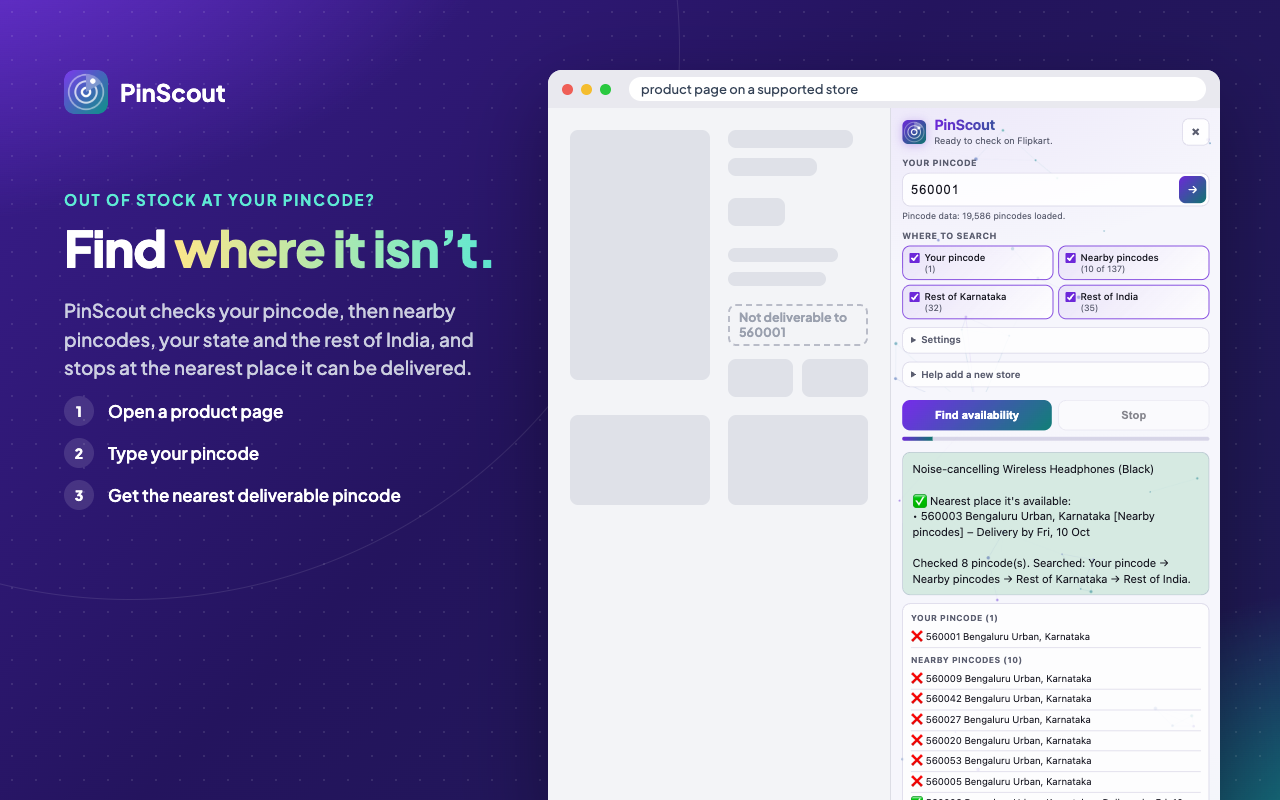
PinScout checks your pincode, then nearby pincodes, your state and the rest of India, and stops at the first place the product can be delivered.
Try the search plan
Type a pincode to see which pincodes PinScout would check, and in what order. This runs the extension's own planner on the India Post list, here in your browser; nothing is sent anywhere. The delivery checks themselves happen in the extension, on a store's product page.
1. Open a product
Open a product page on a supported store and click the PinScout icon. It opens in the side panel, so you can keep using the page.
2. Type your pincode
PinScout checks delivery for you, the same way the store's own "check pincode" box would, one pincode at a time.
3. It searches outward
Your pincode, then nearby (by real distance, from India Post data for about 19,500 pincodes), then your state, then all of India. You choose how far.
4. See the nearest place
It stops at the first place the product can be delivered and shows you where, with the delivery date the store gives. Or keep going and list them all.
Stores
The panel tells you when the page you're on is supported. Want another store? Use "Help add a new store" in the panel.
- FlipkartWorking
- CromaWorking
- AmazonExperimental
- MyntraExperimental
- Reliance DigitalExperimental
- BlinkitExperimental
- JioMartPlanned
- ZeptoPlanned
- Swiggy InstamartPlanned
PinScout is an independent tool and is not affiliated with any of these stores.
Private by design
No server, no analytics, no account. Delivery checks go straight from your browser to the store you're on, and your home pincode stays on your device. Privacy policy
Polite to stores
About a second between checks, slower after errors, and it stops at once if the store asks it to slow down.
More free tools by Saurabh
Bracely
A JSON formatter, validator and viewer with 100+ tools in one page, for developers, testers and data analysts. Runs on your device.
bracely.saurabhpagrut.in →MyAdvoKit
Free e-Filing and PDF tools for Indian advocates: hearings, case preparation and filings. Works offline; files stay on your device.
myadvokit.saurabhpagrut.in →Bracel
A virtual cat that lives on the edges of the websites you visit: it walks, naps and purrs, and never gets in the way.
bracel.saurabhpagrut.in →